How to Identify the Official Airline Booking Website Before You Pay
Knowing how to identify the official airline booking website helps you avoid fake reservation pages, unexpected agency fees, and scammers posing as customer service agents.
Knowing how to identify the official airline booking website helps you avoid fake reservation pages, unexpected agency fees, and scammers posing as customer service agents. The safest approach is to verify the website address independently, check who is selling the ticket, and review the payment process before entering personal details.
That sounds straightforward, but airline search results can be confusing. An advertisement, travel agency, comparison site, and genuine airline page may all use the same airline name.
A familiar logo or professional design does not settle the question. This guide explains what to check, which warning signs matter, and how to confirm that your booking reached the airline.
What Is an Official Airline Booking Website?
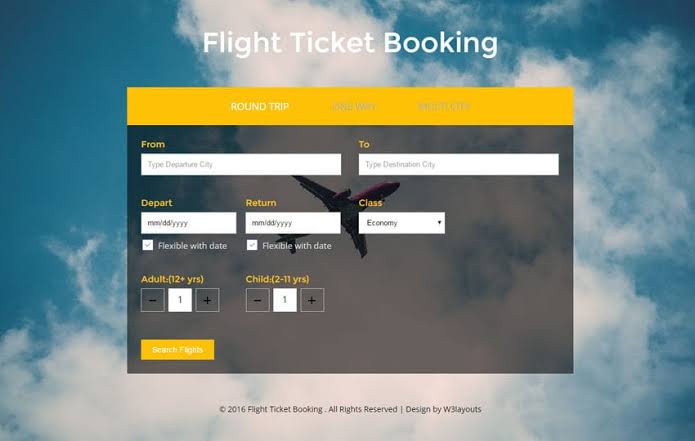
An official airline booking website is a website operated by the airline or a booking platform the airline authorizes for its direct sales. It usually provides flight searches, fare conditions, baggage information, customer support, and tools for managing reservations.
Some airlines use different regional addresses, language pages, or external booking technology. A change in appearance or website address therefore needs verification, but it does not automatically indicate fraud.
The key question is whether the airline recognizes and directs customers to that booking channel. A page calling itself “official” is making a claim, not providing proof.
Official Website vs Travel Agency
A legitimate online travel agency sells flights as an intermediary. It may display airline logos and flight schedules without being the airline’s own website.
That distinction matters because the agency may handle changes, refunds, and service fees. The FTC advises travelers to establish whether they are buying from a travel app company or directly from the airline.
You can choose an agency deliberately. The problem arises when you believe you are booking directly but discover another company sold the ticket.
How to Identify the Official Airline Booking Website: Step by Step
1. Begin With a Source You Can Independently Verify
If you already use the airline’s genuine app or have a previously verified bookmark, start there. Avoid beginning with an unexpected discount message or a customer service number shown in an unfamiliar advertisement.
When you do not know the website address, cross check it using an independently reached source, such as an established airport’s airline directory or an airline alliance’s member page. Treat these as supporting evidence and check that the airline name matches exactly.
An old confirmation can also help, provided it came from a booking you independently verified. A new email claiming to be from the airline should not establish its own legitimacy.
2. Examine Search Results Before Opening Them
Search for the airline’s exact name and inspect the displayed website address. Do not assume that the highest result belongs to the airline.
A sponsored result may be a legitimate airline advertisement, an agency advertisement, or an impersonation attempt. Search position and advertising placement do not prove ownership.
Also separate the page title from the destination address. A title reading “Official Airline Reservations” can appear above a website operated by someone else.
3. Read the Full Address in Your Browser
After opening a page, click or tap the address bar to reveal the full address. On a phone, the visible address may be shortened.
Check the spelling carefully, including extra letters, substituted characters, and words attached to the airline name. A copied logo can disguise an address that has nothing to do with the airline.
Emirates specifically warns about messages whose apparently legitimate links lead to addresses that do not match the company website.
Check the address again after a redirect, especially before signing in or paying. The page you initially opened and the page collecting your card details may differ.
4. Understand the Main Domain
The airline name appearing somewhere in an address does not establish ownership. Its position matters.
For illustration, suppose a fictional airline’s verified domain is example.com. These examples explain the difference; they are not booking addresses.
| Illustrative address | What it means | Verification needed |
|---|---|---|
example.com | The fictional airline’s verified main domain | Confirm it through an independent source |
booking.example.com | A subdomain under that main domain | Check that you reached it through the verified site |
example.com/flights | A page within the main domain | Review the booking and seller details |
example.com.other.example | A subdomain of other.example | The airline name does not establish ownership |
other.example/example.com | The airline domain appears only in the page path | It does not identify the website owner |
Real addresses can be more complicated, particularly with endings such as .co.uk. Do not use a “last two words” rule for every address; compare the complete domain with the one independently verified.
5. Check Who Operates the Website
Read the footer, contact page, privacy notice, and booking terms. Look for the legal company name and an explanation of its role.
An agency may disclose that it is an independent travel service or that it is not affiliated with the airline. That disclosure answers your question even if the page prominently displays airline branding.
These details provide context, but scammers can copy them. Use them alongside domain verification rather than treating a privacy policy or postal address as proof.
6. Verify Any Separate Booking Platform
Some genuine airline websites send customers to an external booking engine or payment provider. The important point is whether that transition begins within the independently verified airline website.
Look for an explanation of the provider or redirect. If the connection is unclear, stop and ask the airline through contact details obtained from its verified website or genuine app.
Avoid asking the questionable website to confirm itself. Its chat agent and telephone number may belong to the same operator.
7. Review the Final Payment Page
Before paying, confirm the seller, amount, currency, itinerary, baggage allowance, and fare conditions. Check whether separate service fees have appeared.
Be cautious if an ordinary online booking unexpectedly becomes a demand to pay an individual, move to private messaging, or use an unfamiliar payment arrangement. A legitimate local payment option should be explained within the verified booking process.
Never give a supposed support agent your banking password or read out a payment authentication code. If your bank requires authentication, complete it yourself through the bank’s genuine interface.
Why HTTPS and a Padlock Are Not Enough
HTTPS encrypts the connection between your browser and the website. It helps protect information during transmission, but it does not prove that the business receiving that information is the airline.
A fraudulent website can also have HTTPS. Likewise, a lock graphic displayed inside a page can simply be an image.
Google’s Chrome security documentation distinguishes browser security indicators from page content, which can imitate those indicators without providing meaningful protection.
Use HTTPS as a basic requirement when submitting sensitive information. Combine it with ownership checks, and do not bypass certificate or unsafe website warnings to finish a booking.
Warning Signs of a Fake Airline Booking Website
Copied Branding With an Unfamiliar Address
Airline logos, aircraft photographs, and cabin images are easy to reproduce. Even a convincing flight search form can sit on an unrelated domain.
Focus first on the address and seller identity. Design quality is supporting context, not a reliable authentication method.
Pressure to Pay Immediately
A fare can genuinely change or sell out. However, pressure to abandon verification, call a special number, or send money immediately deserves scrutiny.
Be particularly careful when a countdown accompanies an unusually generous offer. Check whether the same promotion exists when you independently open the airline’s verified booking channel.
Unexpected Messages About Your Booking
A message may claim that your payment failed, your ticket requires activation, or your flight will be cancelled unless you pay again. Do not follow its payment instructions before checking your reservation independently.
The FTC recommends avoiding links in unexpected travel emails or texts and visiting the real company’s website directly to verify the offer.
Suspicious Customer Service Instructions
Be wary of someone who asks you to install remote access software, share account credentials, or move payment outside the booking system.
A support agent should be able to explain the issue without controlling your device. Independently contact the airline before continuing.
How to Check an Airline Website on Your Phone
Mobile browsing can hide useful clues because address bars are small and embedded browsers may reveal little information. Open the page in your normal browser and inspect the complete address before paying.
If you prefer an app, follow the app store link from the verified airline website. Check the publisher identity rather than relying on the app’s name or icon alone.
A social media badge is also insufficient on its own. Use social accounts reached from a verified airline website as supporting evidence, and independently verify payment requests received through messages.
How to Confirm Your Booking After Payment
A confirmation email should begin your checks, not end them. Open the verified airline website or genuine app and use its reservation management tool.
Enter the booking reference and passenger surname as required. Confirm the flights, dates, passenger details, and reservation status.
A booking reference alone does not prove that a ticket has been issued. Some reservations can exist while payment or ticketing remains incomplete.
For airlines that issue electronic ticket numbers, check the ticket receipt and issuance status. Other carriers use different confirmation arrangements, so ask the airline what confirms a completed purchase.
If you booked through an agency, you may receive both an agency reference and an airline reference. Ask for the reference the airline can recognize.
A reservation that does not immediately appear is not automatically fraudulent. Confirm the expected processing time with the seller and airline before making another purchase.
What to Do If You Used a Suspicious Website
Stop further payments and independently contact the airline to establish whether it has a valid booking for you. Keep screenshots, receipts, messages, the website address, and any transaction details.
If you entered payment information, promptly contact your card issuer or payment provider through its genuine app or verified number. Explain what happened and ask about securing the account and available dispute options.
If you entered a password, change it on the genuine service. Change it elsewhere too if you reused it, and enable additional account protection where available.
Avoid paying an unexpected “refund processing” or “ticket release” charge. Verify any such demand independently before responding.
Pro Tips for Booking Through the Genuine Airline Website
Bookmark the Verified Website
Once you have confirmed the airline’s address, save it for future bookings. This reduces the need to repeat a search each time you want to check in or manage a reservation.
Give the bookmark a clear airline name. Recheck the address if the airline later announces a website change.
Verify the Channel Before Comparing Prices
A cheap fare does not tell you whether the website belongs to the airline. Establish the seller first, then compare the total price and conditions.
An agency may legitimately offer a different price. Evaluate its fees, support arrangements, and cancellation terms separately.
Save Evidence of the Purchase
Keep the final price breakdown, fare rules, confirmation, and ticket receipt. These records help resolve questions about what you purchased and who sold it.
Check the documents shortly after booking. Errors are easier to address when you notice them promptly.
Frequently Asked Questions
1. Is the first airline result on Google always official?
No. It may be an advertisement, agency, comparison page, or another website. Inspect the destination address and independently verify the airline’s domain before providing information.
2. Does a padlock mean an airline website is genuine?
No. A browser security indicator concerns the connection, while website ownership requires separate verification. A fraudulent page can use an encrypted connection.
3. Can an official airline website use a different regional address?
Yes. Airlines may use regional domains, language pages, or separate booking platforms. Confirm that the address is recognized by the airline rather than judging it solely by its country ending.
4. Are websites selling another airline’s tickets always fake?
No. Legitimate travel agencies sell airline tickets. Check whether the seller clearly identifies itself and whether you understand its service fees and responsibility for changes or refunds.
5. What if the payment page uses another company’s name?
It may be a legitimate payment provider. Verify that you reached it from the genuine airline booking process and that the airline explains or confirms the provider.
6. Does a booking reference prove my purchase is complete?
Not by itself. Retrieve the reservation through the genuine airline channel and check whether payment and ticketing are complete under that carrier’s booking system.
7. Should I trust an airline telephone number in a search advertisement?
Verify it first. Obtain contact details from the independently verified airline website or genuine app, especially before sharing booking information or authorizing payment.
Final Verdict
The most reliable way to identify an official airline booking website is to verify the domain independently, establish who sells the ticket, and check the payment journey before paying.
Logos, search rankings, HTTPS, and polished design cannot answer the ownership question alone. After purchase, retrieve the reservation through the genuine airline channel and confirm that the booking is complete.
Some links on this page are affiliate links. If you book through one we may earn a commission, at no extra cost to you. It never affects our ratings, our rankings, or the price you pay.