Can You Choose Seats After Booking a Flight?
Yes, you can usually choose seats after booking a flight. Open your reservation on the airline’s website or app, select the flight, and look for “Seats,” “Seat selection” or “Manage booking.”
Yes, you can usually choose seats after booking a flight. Open your reservation on the airline’s website or app, select the flight, and look for “Seats,” “Seat selection,” or “Manage booking.” Whether you can choose for free depends on your fare, airline, available seats, and how close you are to departure.
If you skipped the seat map while buying your ticket, you have probably not missed your chance. Some airlines let you select a seat right up to check-in. Others restrict advance selection on their cheapest fares or assign a seat during check-in instead. This guide explains how to find your options, what you might pay, and what to do when the seat map is unavailable.
How seat selection works after booking
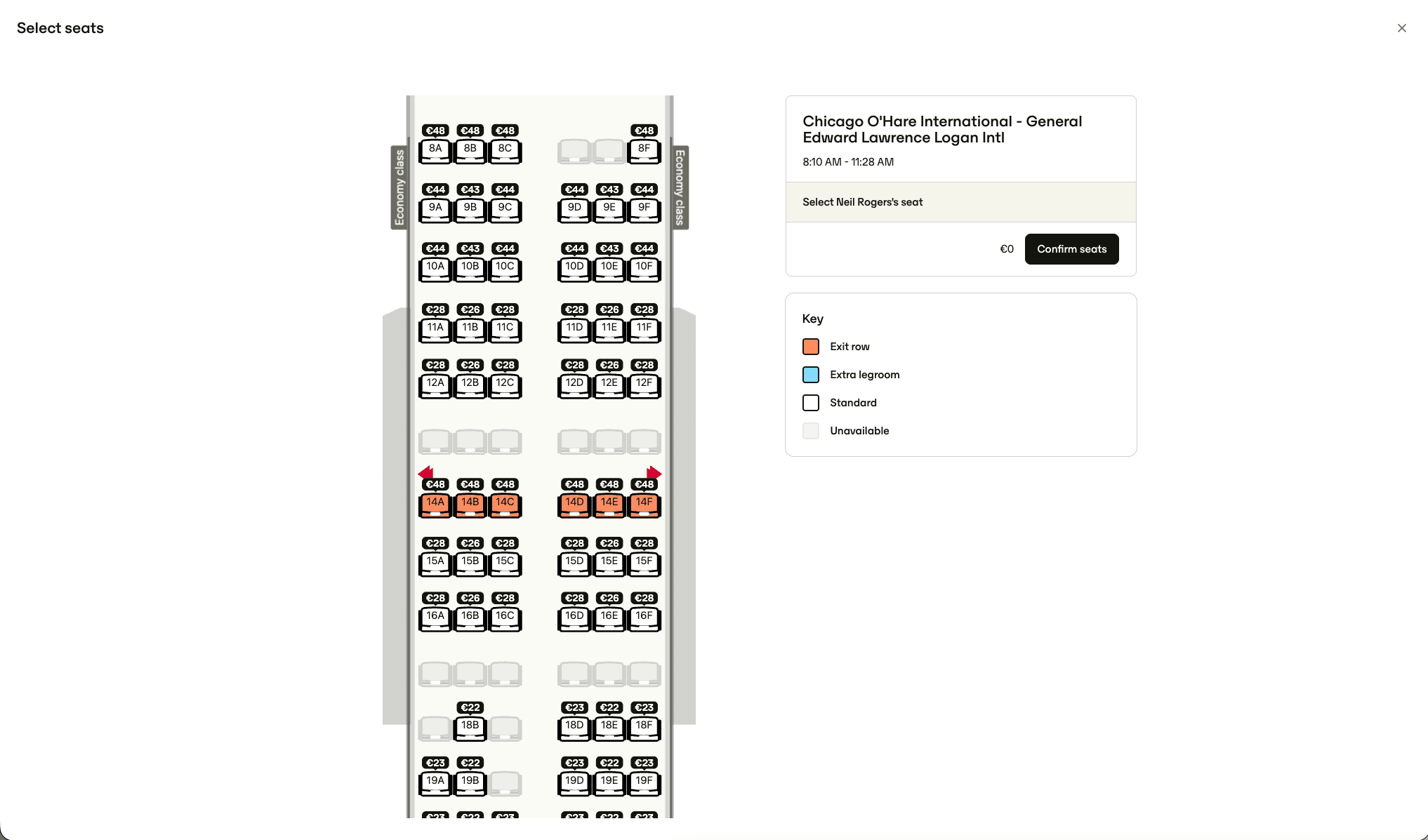
A flight booking and a seat assignment are separate things. Your ticket confirms travel on a flight, while your seat assignment identifies where you will sit. That is why a confirmed reservation can still show “seat not assigned.”
Airlines generally let you manage your seat through the reservation page. British Airways, for example, says passengers can select a seat while purchasing a flight or later through Manage My Booking, either as an included benefit or for a fee.
There is no single rule across every airline. American Airlines says its Basic Economy passengers can choose a specific seat for a fee, while Delta says passengers buying Delta Main Basic are generally assigned seats after check-in. Your ticket’s fare conditions are the best guide to what you can do.
A seat shown on a map is not necessarily free. Click it and review the price before confirming. Also check whether you are selecting seats for every flight and every traveler, since each flight segment may have its own seat map.
When can you choose seats after booking?
The easiest time is as soon as your ticket is issued. Open your reservation shortly after receiving the confirmation email. You can see whether seats are included, compare paid options, and choose adjacent seats while more are available.
You can also check again later. Other passengers change flights, and airlines may release seats as departure approaches. Availability can improve, though there is no guarantee that a particular row or pair of seats will appear.
Check-in provides another chance on many flights. Some airlines allow free selection from the remaining standard seats at that point; others assign a seat automatically. British Airways says passengers who do not select a seat in advance can receive a seat at check-in and may pay to change it, subject to limited availability.
At the airport, a check-in or gate agent may be able to help if seats remain. This is useful when the website will not load or your reservation has special requirements, but it is the least predictable way to secure a particular seat.
How to choose a seat after booking: step by step
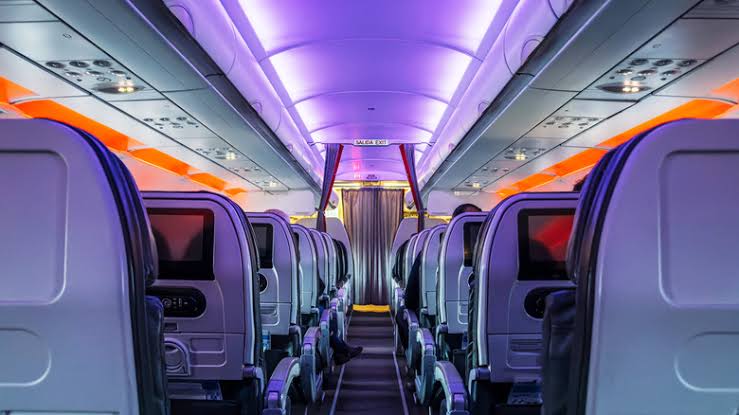
1. Find your booking reference
Look for the airline confirmation code, sometimes called a record locator or PNR, in your confirmation email. You will usually need it along with the passenger’s last name to open the trip.
An online travel agency may give you its own order number as well as an airline booking reference. If the airline website does not recognize the agency’s number, look for the airline reference in the ticket details or ask the agency for it.
2. Open the airline’s website or app
Go to “My trips,” “Manage booking,” or the equivalent section. Enter your details and make sure the flight, date, and passenger names match your ticket.
If you booked through a third-party website, try the operating airline’s website first. American Airlines says seat selection on partner-operated flights is managed by the airline operating the flight.
3. Open the seat map for each flight
Select “Choose seats,” “View seats,” or a similar option. On a connecting itinerary, you may need to repeat the process for each leg, including the return flight.
Read the labels carefully. A seat may be described as standard, preferred, extra legroom, exit row, or another paid category. If you want to avoid a charge, look specifically for seats marked as included or free.
4. Select and confirm
Tap the seat you want, review any charge, and finish the confirmation or payment step. Simply opening a seat map or clicking a seat may not save it.
Return to your trip overview afterward. Confirm that a seat number appears next to the correct traveler on every flight you meant to update. Keep the confirmation email or a screenshot if you paid.
5. Check again before departure
Review the reservation when check-in opens. Aircraft changes and other operational needs can affect assignments, so verify your seat number on the boarding pass.
If the seat is missing or different, use the airline’s app or speak with an agent. Having your booking reference and any seat purchase receipt ready will make the conversation easier.
Is it free to choose seats after booking?
It can be, but “economy ticket” alone does not tell you the answer. The price depends on the fare you bought, the type of seat, your airline benefits, and sometimes when you make the selection.
A standard seat may be included with one fare and cost extra with another. Window and aisle seats, seats near the front, and extra legroom seats may have different prices. On some fares, you can skip payment and accept an airline-assigned seat at check-in.
Before paying, compare the total cost. If you need seats for two people on both legs of a round trip, four separate seat charges can add up. A higher fare that includes seat selection may be better value if you also need its baggage or change benefits, but check the full fare terms before upgrading.
Do not assume waiting will make a particular paid seat free. Even where free seats become available at check-in, the best choices may already be taken. Choose based on what matters to you: saving money, sitting together, extra space, or a specific position on the aircraft.
Why can’t you choose a seat on your booking?
A missing or inactive seat map does not always mean something is wrong with your ticket. Common reasons include:
Your fare restricts advance selection. The airline may assign your seat at check-in.
Another airline operates the flight. Its website may control the seat map.
Your ticket is still being issued. A reservation confirmation and an issued ticket may arrive at different times.
Seats are held back. Airlines may reserve some for operational needs or passengers requiring assistance.
The aircraft or schedule is changing. Seat selection may pause while the airline updates the flight.
The app or website has a problem. The desktop site, app, or airline support team may show different options.
First, check the fare rules and confirm that you have the right booking reference. If a partner airline operates the flight, try its site. If neither airline can display the booking, contact the company that issued your ticket and ask whether it has been ticketed.
Can you change a seat you already selected?
Usually, yes, if another eligible seat is available. Open the seat map again and select a new one. Check the price before you confirm: changing to a more expensive seat may require an additional payment, and changing to a cheaper one may not produce a refund.
British Airways says seats can be changed before travel, including at check-in, subject to availability. It also says that if you change your flight, you need to choose seats again on the new flight.
A paid assignment is still worth checking before departure. Your selected seat can change following an aircraft swap or for safety or operational reasons. If that happens, review the airline’s seat purchase and refund terms and keep your receipt.
Choosing seats for families and groups
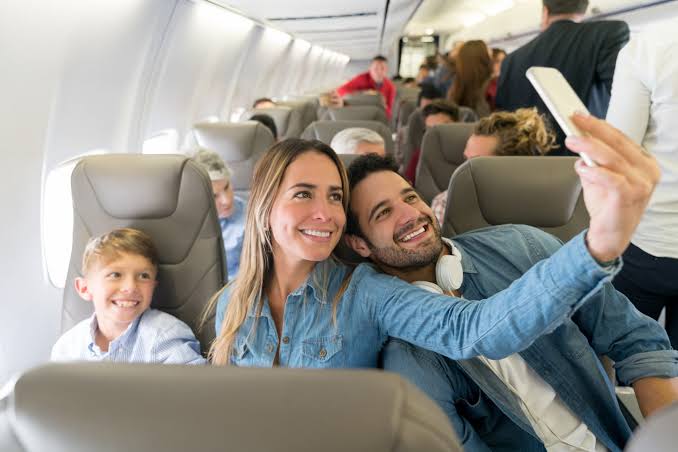
If sitting together matters, select seats early rather than relying on last-minute availability. Look at the entire itinerary before paying: you may find adjacent seats on the outbound flight but none on the return.
Family seating rules vary. American Airlines says that when families do not select seats in Main Cabin or Basic Economy, it assigns seats so children under 15 sit next to at least one accompanying adult, subject to its stated process. Do not assume another airline follows the same rule. Check your carrier’s family seating policy if you are traveling with children.
For a larger group, separate reservations may complicate seating. Contact the airline if travelers booked under different references need to sit together. An agent may be able to note the request, but adjacent seats remain subject to availability.
If you need a seat because of a disability or another accessibility requirement, contact the airline directly. Explain what you need rather than buying a paid seat and assuming it is the only option. The airline can explain its accommodation process for your itinerary.
What about exit rows and extra legroom seats?
Extra legroom seats can make a long flight more comfortable, but read what you are buying. “Preferred” may mean a location nearer the front without much additional legroom. Check the seat description rather than relying on its color on the map.
Exit row seating has eligibility and safety requirements. If you are traveling with a child or cannot carry out the required duties, choose another row. Airline staff can move a passenger who does not meet exit row requirements, even if that seat was selected earlier.
Also check whether the seat has a fixed armrest, reduced storage, or a position near a galley or restroom. A seat map helps you locate a row, but the airline’s description and the aircraft layout give better context for the choice.
Practical tips before you pay for a seat
Check every segment. A seat purchase on one flight does not automatically cover a connection or return.
Compare seats with a fare upgrade. The higher fare may include benefits you would otherwise buy separately.
Keep checking if your preferred seat is unavailable. Availability can change before departure.
Confirm the operating airline. Its rules and seat map usually govern a partner-operated flight.
Save your receipt. You may need it if a paid assignment changes.
Review your boarding pass. It shows the seat currently assigned for travel.
If you only need a seat somewhere on the plane, skipping the paid selection may be reasonable. If you must sit together, need a particular location, or have limited flexibility, sort out the seating as early as possible.
Frequently asked questions
Can I choose seats after buying a plane ticket?
Usually, yes. Open the trip on your airline’s website or app and look for the seat map. Your fare may include a standard seat, require a fee, or restrict selection until check-in.
Can I choose my seat after booking through an online travel agency?
Often, yes. Use the airline booking reference to find your trip on the operating airline’s website. If you cannot locate it, ask the agency for the correct reference and confirm that your ticket has been issued.
Is it cheaper to choose a seat during booking or later?
There is no universal answer. Seat prices and availability can change, and some airlines may charge differently at different stages. Compare the displayed price when booking with the price in your managed reservation, if you have both options.
What happens if I do not choose a seat?
The airline will generally assign one, often during check-in or before boarding. You may have fewer choices, and passengers traveling together could receive separate seats, depending on the airline’s policy and availability.
Can I choose a seat after checking in online?
Many airlines allow changes after check-in if eligible seats remain, but the process varies. Reopen your reservation or check-in page. If you change seats, download an updated boarding pass showing the new number.
Why does my confirmation email show no seat number?
Your ticket may be confirmed without a seat assignment. Check the airline’s trip page to see whether selection is available. If your fare does not permit advance choice, the airline may assign a seat closer to departure.
Can an airline change a seat I paid for?
Yes. A seat assignment can change because of an aircraft change or an operational, safety, or security need. Keep your purchase confirmation and check the airline’s terms if you do not receive the type of seat you bought.
Verdict
You can usually choose seats after booking a flight, so start with the airline’s “Manage booking” page. Check each flight, review any fee, and confirm that the seat number appears in your reservation.
If advance selection is unavailable, check your fare rules and try again when check-in opens. For families or anyone who needs a specific seat, handling the request early gives you the best chance of finding a suitable option.
Some links on this page are affiliate links. If you book through one we may earn a commission, at no extra cost to you. It never affects our ratings, our rankings, or the price you pay.