How to Find Flights With Seatback Entertainment Before Booking
Seatback entertainment can make a major difference when you are spending several hours on an airplane.
Seatback entertainment can make a major difference when you are spending several hours on an airplane. Instead of balancing your phone on a tray table or worrying about battery life, you can watch movies, television shows, or other available content on a screen built directly into the seat in front of you.
The challenge is finding out whether your flight actually has one.
An airline may advertise inflight entertainment while offering completely different systems across its fleet. One aircraft may have individual seatback screens, another may stream entertainment to passengers' personal devices, and a third may offer little or no entertainment at all.
Even aircraft of the same general model can have different cabin configurations.
If having your own screen matters, you need to investigate the specific flight and scheduled aircraft, rather than relying on the airline's general reputation.
Here's how to find flights with seatback entertainment before booking.
What Is Seatback Entertainment?
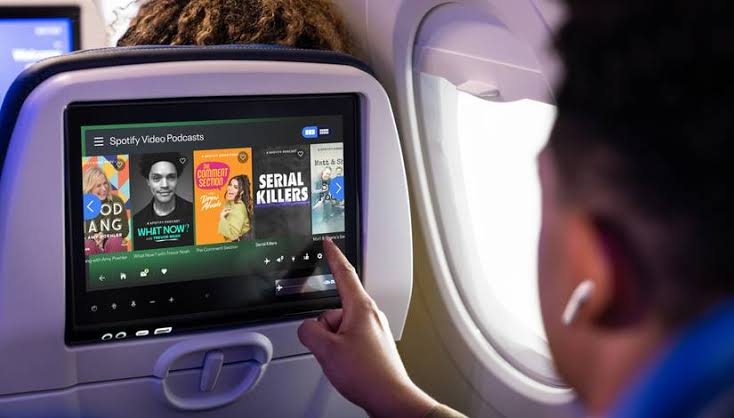
Seatback entertainment refers to an inflight entertainment system with a screen installed at or around each passenger's seat.
In economy class, the screen is commonly mounted on the back of the seat in front. Bulkhead and some special seats may use a differently positioned or stowed screen.
Depending on the airline and aircraft, the system may provide:
Movies
Television programs
Music
Games
Flight maps
Destination information
Audio content
Children's entertainment
Some newer systems may offer additional functions such as Bluetooth audio connectivity or enhanced flight information.
Features vary considerably, so the presence of a screen does not guarantee a particular entertainment library or technology.
Seatback Entertainment vs Streaming Entertainment
One of the most important distinctions is between seatback entertainment and wireless streaming entertainment.
They are not the same.
With seatback entertainment, the aircraft has physical screens installed for passengers.
With streaming entertainment, you generally connect your own phone, tablet, or laptop to an onboard network and watch content on your personal device.
A simple comparison looks like this:
| Feature | Seatback Entertainment | Streaming Entertainment |
|---|---|---|
| Built in screen | Yes | Usually no |
| Personal device required | No | Yes |
| Uses your battery | Minimal for viewing | Yes |
| Device stand needed | No | Helpful |
| Headphones | Usually required | Usually required |
| Content availability | Airline dependent | Airline dependent |
| Convenience on long flights | Usually high | Depends on traveler |
Neither system is automatically better.
However, if you specifically want a built in screen, a general description such as "inflight entertainment available" is not enough.
Step 1: Find Flights That Fit Your Schedule

Start with your normal flight search.
Prioritize the fundamentals first:
Price.
Departure time.
Arrival time.
Total journey duration.
Nonstop or connecting.
Baggage allowance.
Operating airline.
Once you have several suitable options, investigate their entertainment systems.
This prevents you from choosing an inconvenient flight purely because it has a seatback screen.
Step 2: Identify the Operating Airline
Before researching entertainment, determine which airline actually operates the aircraft.
This matters because of codeshare flights.
You might see:
Airline A Flight 1234
Operated by Airline B
In this example, Airline B operates the physical aircraft and its onboard product is generally what you will experience.
If Airline A normally has seatback screens but Airline B does not on that particular aircraft, researching Airline A would give you misleading information.
Always look for the operated by information first.
Step 3: Identify the Scheduled Aircraft
Next, expand the flight details and look for the aircraft.
You may see models such as:
Airbus A320.
Airbus A321neo.
Airbus A330.
Airbus A350.
Boeing 737.
Boeing 777.
Boeing 787.
The aircraft type is an important clue because airlines frequently install different entertainment systems on different fleets.
For example, an airline's long haul widebody aircraft may have individual screens while some short haul narrowbody aircraft use streaming entertainment instead.
But aircraft type alone is still not enough.
Step 4: Check the Exact Aircraft Configuration
Two aircraft with the same model name can have different cabins.
An airline may operate several configurations of a Boeing 777 or Airbus A321, for example.
One configuration could have seatback entertainment while another uses a different system.
Aircraft may also have been:
Refurbished.
Acquired from another airline.
Configured for different routes.
Updated with a newer cabin.
Awaiting refurbishment.
When possible, match the flight with the correct seat map and cabin configuration rather than researching only the general aircraft model.
Step 5: Look at the Flight Amenities
Flight search and booking pages often provide an amenities section.
Look for descriptions such as:
Seatback entertainment
Personal entertainment screen
On demand entertainment
Inflight entertainment
Streaming entertainment
Entertainment on your device
The wording matters.
"Inflight entertainment" can be a broad category and does not necessarily confirm that a physical screen is installed.
If the description specifically mentions streaming to a personal device, you should expect to use your own screen unless other information says otherwise.
Step 6: Check the Seat Map
A seat map can provide additional clues about the cabin, although it should not be your only source of information.
It can help you identify:
Cabin configuration.
Aircraft version.
Economy sections.
Bulkhead rows.
Exit rows.
Seat arrangement.
If you find multiple seat maps for the same aircraft model, compare them with the map shown for your flight.
Matching the number of rows and cabin arrangement can help you identify the likely configuration.
Remember that aircraft assignments can still change.
Step 7: Check Economy Class Specifically
Do not assume an aircraft has screens at every seat simply because its premium cabin has an entertainment system.
When researching, check the economy cabin specifically.
Some aircraft configurations may provide different equipment depending on cabin or seat.
Look for descriptions such as:
"Personal screen at every economy seat."
That is much more useful than a general statement saying entertainment is available onboard.
If you are buying economy, research the economy product you will actually use.
Step 8: Compare Long Haul Flights First
Seatback entertainment usually provides the greatest value on long flights.
A personal screen may not matter much during a 70 minute flight.
On a twelve hour journey, it can become a meaningful comfort feature.
For long haul travel, compare:
Screen availability.
Screen size where published.
Entertainment selection.
USB charging.
Power outlets.
Headphone connection.
Bluetooth support where available.
Flight map.
Seat comfort.
A good entertainment system is most useful when combined with a comfortable seat and convenient controls.
Step 9: Check Whether the System Is On Demand
Having a seatback screen does not automatically mean every system works the same way.
Modern systems often provide on demand entertainment, allowing passengers to choose and control content individually.
Some older systems may offer fewer functions.
When entertainment is important, investigate whether the system provides:
Individual playback control.
Movie selection.
Television programs.
Pause and resume.
Flight information.
Interactive map.
You do not necessarily need the newest system, but understanding what is provided prevents unrealistic expectations.
Step 10: Compare Screen Size Carefully
Screen size can vary between airlines, aircraft, and cabin generations.
A larger screen can make movies easier to enjoy, particularly during long haul travel.
However, do not choose a flight based on screen size alone.
Consider viewing distance, screen quality, interface responsiveness, and the available content.
A slightly smaller modern display with a responsive system may be more enjoyable than a larger but older screen.
Treat published screen dimensions as one comparison point rather than a complete measure of entertainment quality.
Step 11: Look for USB and Power
Seatback entertainment reduces dependence on your personal device, but charging remains important.
You may still want your phone available after landing.
Check whether your economy seat offers:
USB A.
USB C.
AC power.
Shared outlets.
Individual outlets.
If your flight provides streaming entertainment rather than seatback screens, charging becomes even more important because your device will be doing the work.
For long flights, compare entertainment and power together.
Step 12: Check Bluetooth Audio Support
Some newer inflight entertainment systems allow passengers to connect compatible wireless headphones.
However, Bluetooth connectivity is not universal.
Many aircraft still use a traditional headphone connection.
If you normally travel with wireless earbuds, check whether the aircraft supports Bluetooth audio.
Even when it appears to, carrying a compatible wired option or suitable adapter can be useful.
Do not assume your wireless headphones will automatically connect to every seatback system.
Step 13: Check Whether Headphones Are Provided
Airlines may provide headphones on certain flights, particularly longer services, but policies differ.
The quality can also vary.
If you care about sound quality, bringing your own compatible headphones is often preferable.
Before departure, check the type of audio connection if that information is available.
Certain aircraft entertainment systems may use configurations that differ from the standard connection you use with your phone.
Step 14: Check Every Flight on a Connecting Itinerary
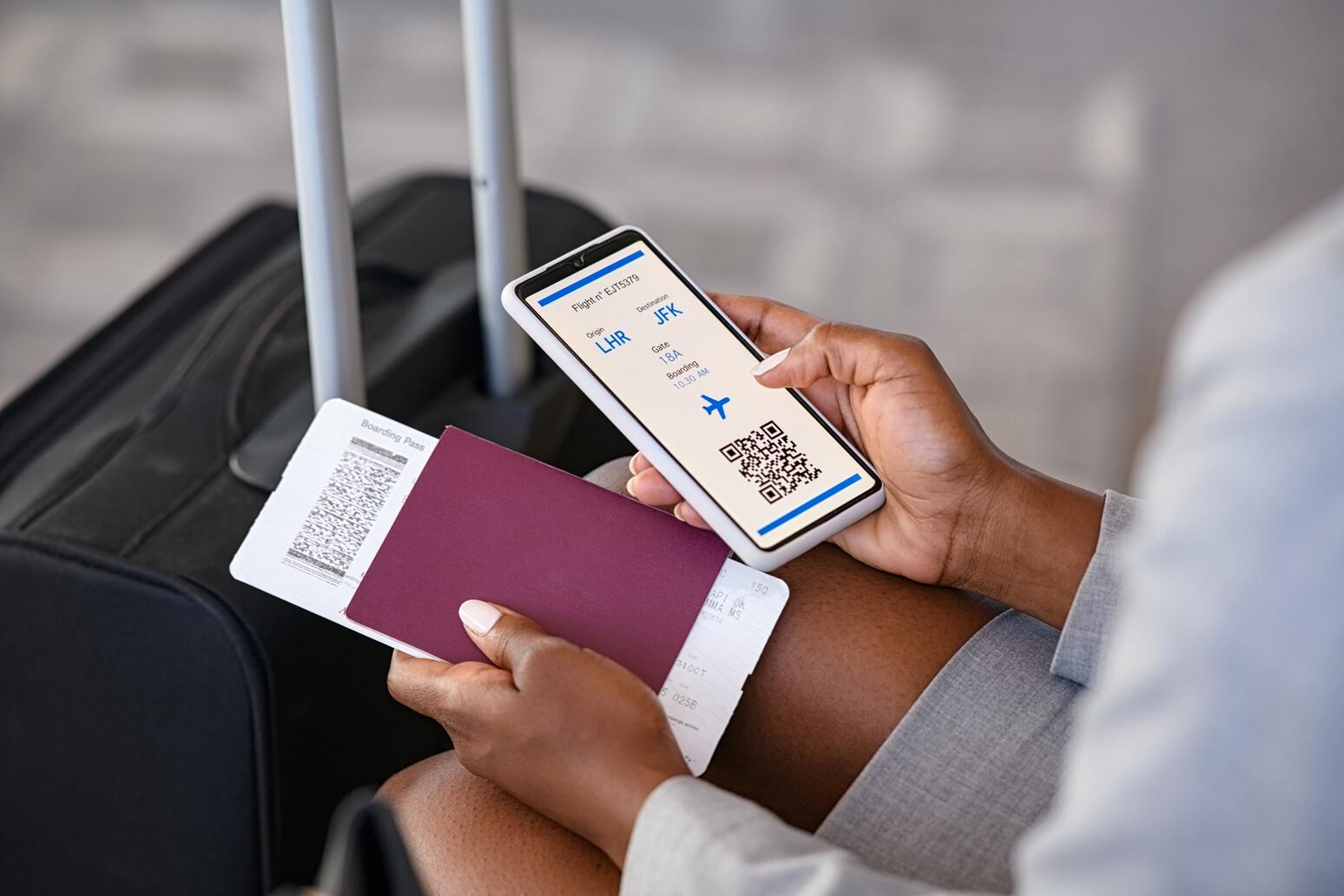
If your journey contains multiple segments, investigate each aircraft separately.
For example:
Flight 1: Airbus A320, 2 hours.
Flight 2: Boeing 787, 11 hours.
Flight 3: Regional aircraft, 1 hour.
The long haul segment may have personal screens while the shorter flights use streaming entertainment or provide no entertainment.
Do not assume the entire journey has seatback screens simply because one segment does.
Focus particularly on your longest flight.
Seatback Entertainment Comparison Checklist
Before booking, compare your shortlisted flights:
| Factor | What to Check |
|---|---|
| Operating airline | Who physically operates the flight |
| Aircraft | Scheduled aircraft type |
| Configuration | Correct cabin version |
| Economy screen | Installed or not |
| Entertainment type | Seatback or streaming |
| On demand system | Available or not |
| Power | USB or AC options |
| Bluetooth | Supported where applicable |
| Flight duration | Importance of entertainment |
| Connections | Check every segment |
| Aircraft swap | Recheck before departure |
This process gives you a much better idea of what you are likely to find onboard.
Common Mistakes When Looking for Seatback Entertainment
The biggest mistake is assuming "inflight entertainment" automatically means an individual screen.
Another is checking the airline without checking the aircraft.
Travelers also sometimes research the marketing carrier on a codeshare instead of the operating airline.
Do not assume every aircraft of the same model has an identical cabin either.
Finally, avoid choosing a significantly worse itinerary solely for entertainment. A tablet loaded with movies can replace a seatback screen. It cannot remove a five hour connection.
Frequently Asked Questions
How can I tell if my flight has seatback screens?
Check your flight's amenities, operating airline, aircraft type, and cabin information. Look specifically for personal or seatback entertainment rather than a general entertainment symbol.
Does inflight entertainment always mean a screen?
No. It may refer to entertainment streamed wirelessly to your personal device.
Do all long haul flights have seatback entertainment?
No. Many do, but onboard products vary between airlines and aircraft. Verify your particular flight.
Do all aircraft from one airline have the same screens?
No. Entertainment systems can differ across aircraft types and configurations.
Is seatback entertainment free?
On many flights, access to the installed entertainment library is included, but policies and services vary. Check the details of your flight.
Can the airline change the aircraft after I book?
Yes. Operational aircraft substitutions can happen, and the replacement may have different entertainment equipment.
What should I do if my flight has no seatback screen?
Download movies, shows, music, podcasts, books, or other entertainment to your device before departure and make sure it is fully charged.
Final Thoughts
Finding flights with seatback entertainment requires more research than simply looking for an entertainment icon.
Start with the operating airline, then identify the scheduled aircraft and, where possible, its specific cabin configuration. Check whether economy passengers receive physical screens or whether entertainment is streamed to personal devices.
For long haul flights, also compare screen features, charging, seat comfort, and the overall cabin experience. On connecting itineraries, research each segment separately.
Most importantly, keep entertainment in perspective.
A seatback screen is a useful comfort feature, particularly when you will spend many hours onboard. But a convenient nonstop flight, comfortable seat, better schedule, reasonable fare, and suitable baggage allowance can have a much greater impact on your journey.
When two flights are otherwise similar, seatback entertainment can be an excellent deciding factor. Just keep some entertainment downloaded on your own device as a backup, because aircraft assignments and onboard technology can always change.
Some links on this page are affiliate links. If you book through one we may earn a commission, at no extra cost to you. It never affects our ratings, our rankings, or the price you pay.