How to Check Power Outlet Availability on a Flight Before Booking
Keeping your devices charged during a flight has become an important part of modern travel. Your phone may hold your boarding passes, hotel details, transportation information, entertainment, and messages. If you are working during the journey, keeping a laptop charged can be even more important.
Keeping your devices charged during a flight has become an important part of modern travel. Your phone may hold your boarding passes, hotel details, transportation information, entertainment, and messages. If you are working during the journey, keeping a laptop charged can be even more important.
Unfortunately, seeing "power available" in a flight description does not always tell you exactly what you will find at your seat.
One aircraft might have a universal AC outlet at every economy seat, while another provides USB charging only. Some aircraft have outlets shared between passengers. Others offer USB C ports capable of charging certain devices much faster than older USB connections.
Availability can even differ between aircraft operated by the same airline.
The most reliable approach is to investigate the specific flight, operating airline, aircraft, cabin configuration, and seat before booking. Here's how to do it.
What Does In Seat Power Mean?
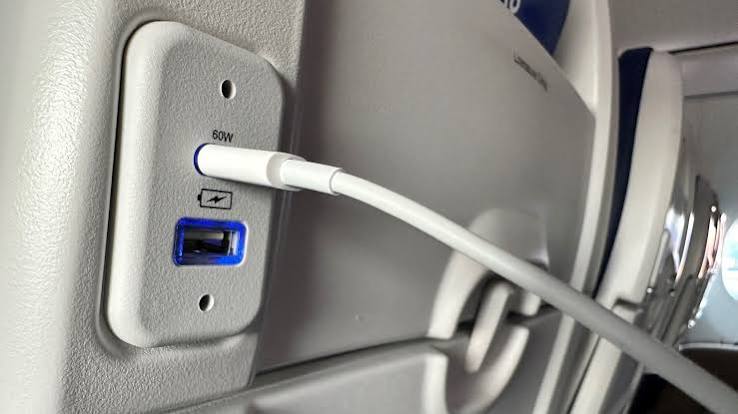
"In seat power" is a broad description covering several types of charging equipment installed around passenger seats.
Depending on the aircraft, you might find:
AC power outlets
Universal power sockets
USB A ports
USB C ports
Shared outlets
Individual outlets
Wireless charging on some newer products
These options are not interchangeable.
A USB port may be perfectly adequate for keeping your phone charged, while someone working on a laptop may specifically need an AC outlet or sufficiently capable USB C charging.
Before searching, decide what type of power you actually need.
Understand the Main Types of Aircraft Power
Knowing the terminology makes flight comparisons much easier.
AC Power Outlets
AC outlets allow compatible electronic devices and chargers to plug into an electrical socket.
They are particularly useful for laptops and other devices with greater power requirements.
The exact outlet design can vary between aircraft and airlines.
USB A
USB A is the older rectangular USB connection found on many aircraft.
It can be useful for phones and smaller electronics, although charging speed may be relatively limited depending on the system.
USB C
USB C is increasingly appearing in newer and refurbished cabins.
Depending on the installation, it may provide faster and more capable charging than older USB systems.
However, the presence of a USB C connector alone does not tell you exactly how much power it supplies.
Shared Power
Some economy cabins provide one outlet between two or more passengers.
This is less convenient than having an individual socket, particularly when several passengers want to charge laptops simultaneously.
Step 1: Find the Exact Flight
Start by identifying the flight you are actually considering.
Record:
Operating airline.
Flight number.
Departure date.
Aircraft type.
Cabin.
Flight duration.
These details matter because power availability is often aircraft specific.
Do not simply search whether "Airline A has power outlets."
A more useful question is whether Airline A's scheduled aircraft on your particular flight has power available in economy.
Step 2: Identify the Operating Airline
Codeshare flights can make aircraft amenities confusing.
Suppose your itinerary says:
Airline A Flight 1234
Operated by Airline B
Airline B physically operates the aircraft.
Therefore, Airline B's cabin configuration and onboard equipment are normally what you need to investigate.
Airline A might advertise power outlets across much of its own fleet, but those features do not automatically apply to a flight operated by its partner.
Always check the operating carrier first.
Step 3: Check the Scheduled Aircraft Type
Expand the flight details during your search or booking process.
Look for information labeled:
Aircraft
Equipment
Plane type
Flight details
You may see aircraft such as an Airbus A321neo, Airbus A350, Boeing 777, or Boeing 787.
Once you know the aircraft, you can investigate its cabin amenities more accurately.
But there is an important limitation: the aircraft model alone does not guarantee a particular power setup.
Step 4: Identify the Aircraft Configuration
Airlines can operate multiple versions of the same aircraft.
For example, an airline might have several configurations of one aircraft model. One version could have AC and USB power throughout economy, while another may provide a different charging arrangement.
Cabins may also differ because aircraft have been:
Refurbished.
Acquired at different times.
Configured for different markets.
Updated with newer seats.
Transferred from another operator.
This is why researching the exact configuration is much more useful than checking only the aircraft family.
Step 5: Look at the Flight Amenities
When comparing flights, expand the amenities section.
You might find descriptions such as:
In seat power
Power outlet
AC power
USB power
USB charging
Power and USB
Read the wording carefully.
"Power available" does not necessarily mean you will receive a conventional AC socket.
It could refer only to USB charging.
If you need to charge a laptop, this distinction is especially important.
Step 6: Check Economy Class Specifically
An aircraft may provide excellent charging facilities in business class without offering exactly the same setup in economy.
Always research your cabin.
Look for information specifically describing:
Economy.
Premium economy.
Business.
First class.
If you are buying economy, confirmation that "power is available onboard" is less useful than information saying that power or USB charging is available at economy seats.
Cabin specific information helps prevent incorrect assumptions.
Step 7: Determine Whether Outlets Are Individual or Shared
This detail is easy to miss.
Some aircraft provide an individual power outlet for each passenger.
Others place one outlet between two seats or provide a smaller number of sockets for a larger seating group.
Suppose you are traveling with another person and both need to work on laptops throughout a long flight.
One shared outlet could become inconvenient.
If continuous access matters, determine whether power is available at every seat or shared between passengers.
Step 8: Check the Seat Map
Seat maps are useful for identifying the correct aircraft configuration.
Compare:
Number of rows.
Economy layout.
Premium cabin arrangement.
Bulkheads.
Seat numbering.
If the airline operates multiple versions of the same aircraft, matching the seat map can help you determine which cabin is scheduled.
The seat map may not always display electrical outlets directly, but it can help identify the aircraft version whose amenities you need to research.
Step 9: Compare USB A and USB C Carefully
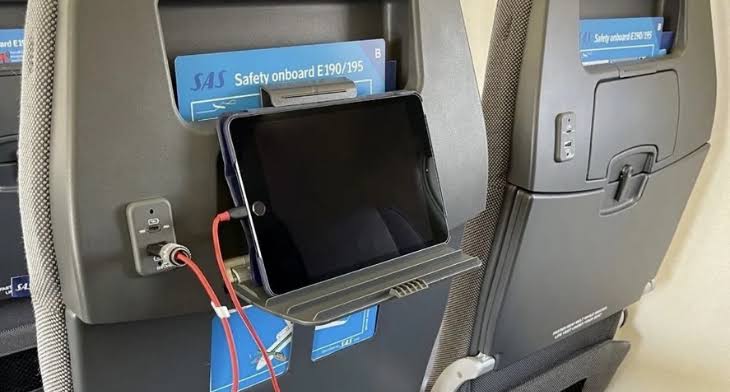
If your primary goal is charging a phone, either connection may be useful.
But USB C can potentially provide more capable charging when supported by the aircraft's power system.
Do not assume every USB C outlet provides laptop level charging.
Similarly, older USB A ports may charge some modern devices slowly.
Bring the appropriate cable for the equipment installed onboard.
For international travel, having both USB and your normal charger can provide more flexibility.
Step 10: Check Power Alongside WiFi
Power becomes particularly important if you intend to use inflight WiFi.
Browsing, messaging, working, and streaming can consume battery faster than leaving your device idle.
For a long haul flight, compare these features together:
| Feature | Why It Matters |
|---|---|
| AC outlet | Useful for compatible laptops and chargers |
| USB A | Convenient basic device charging |
| USB C | Potentially faster or more capable charging |
| WiFi | Enables online activity |
| Seatback screen | Reduces dependence on personal device |
| Flight duration | Determines how important charging becomes |
A flight with good WiFi but poor charging options may be less suitable for someone planning to work for several hours.
Step 11: Check Every Segment of a Connecting Flight
Never assume power availability applies across an entire itinerary.
You might have:
Flight 1: Airbus A320, 2 hours.
Flight 2: Boeing 787, 10 hours.
Flight 3: Regional aircraft, 1 hour.
Each aircraft can have completely different charging equipment.
If you mainly need power for the ten hour flight, investigate that segment most carefully.
Connecting flights can also be operated by different airlines, making segment by segment checking even more important.
Step 12: Compare Long Haul Flights More Carefully
Power matters most when you spend many hours onboard.
For a one hour flight, starting with a fully charged phone may be sufficient.
For a twelve hour flight, access to power can significantly improve your experience.
This is especially true if you intend to:
Work on a laptop.
Use WiFi.
Watch downloaded entertainment.
Play games.
Edit photos.
Use your phone extensively.
On long journeys, consider power as part of the overall seat product rather than a minor extra.
Step 13: Consider Your Device's Battery Life
Before paying more for a flight because it offers power, think about whether you genuinely need it.
A modern tablet with downloaded movies and a strong battery may last throughout a medium length flight.
A power hungry laptop being used continuously may not.
Your charging needs depend on:
Device type.
Battery condition.
Flight duration.
Planned activity.
WiFi use.
Entertainment system.
Travel after landing.
If you need your phone immediately after arrival for transportation or navigation, preserving battery becomes particularly important.
Step 14: Check Whether a Power Bank Is a Better Backup
A suitable portable power bank can reduce your dependence on aircraft charging for phones and smaller electronics.
However, aviation safety requirements apply to batteries.
Power banks containing lithium batteries generally have restrictions regarding capacity and where they can be carried, and airline or regulatory requirements may differ.
Check the applicable rules before travel.
Do not place a power bank somewhere prohibited simply because you do not expect to use it.
A compliant power bank can be an excellent backup, but it should not replace checking the rules.
Step 15: Bring the Correct Cable and Adapter
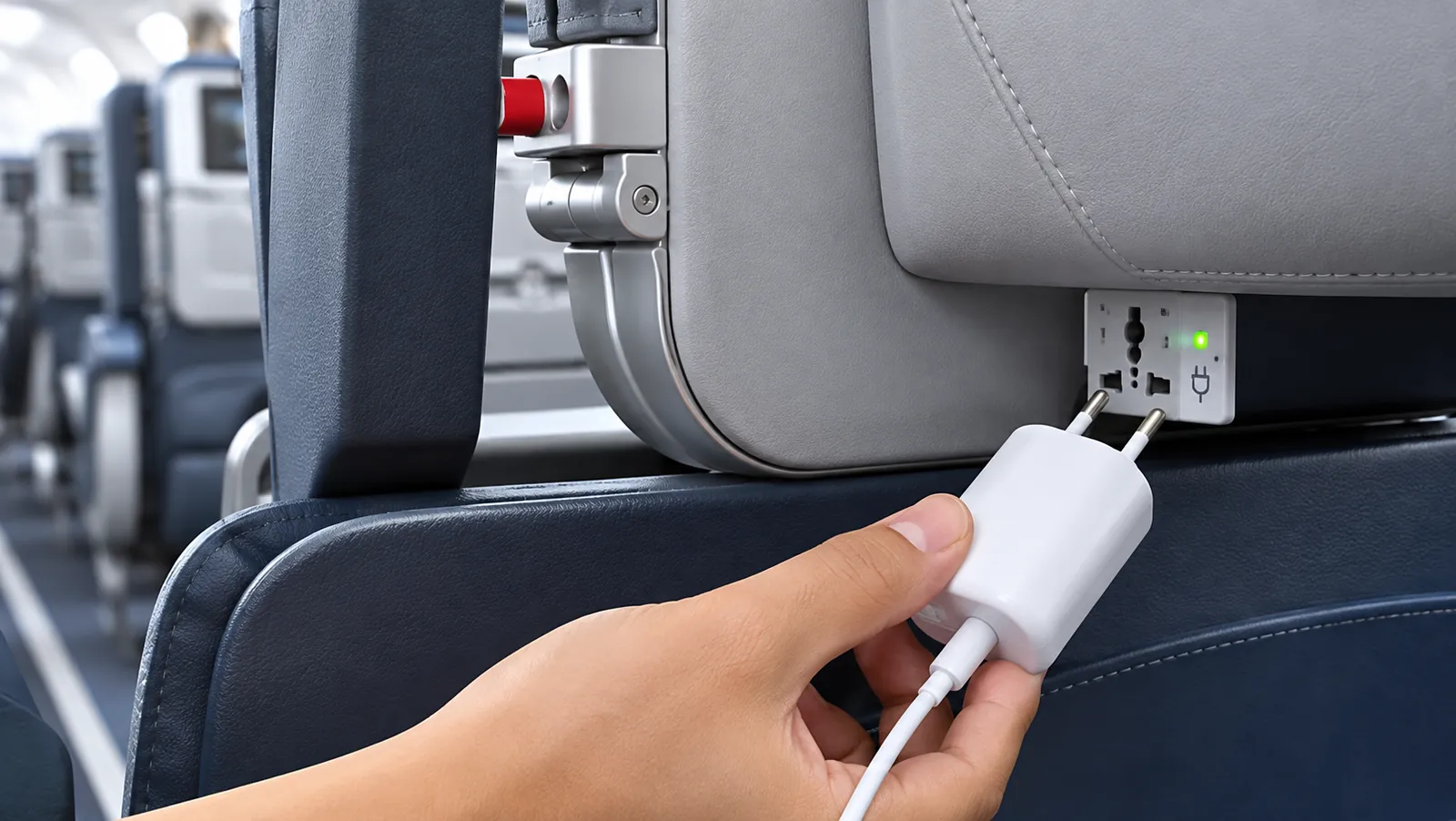
Finding a USB port is useless if you do not have a compatible cable.
Before traveling, check what your devices require.
You may need:
USB A to USB C.
USB C to USB C.
USB A to Lightning for compatible older devices.
USB C to another device specific connector.
Your normal laptop charger.
If the aircraft has an AC outlet, your travel plug requirements can also depend on the socket design and your charger.
Do not rely on the airline providing charging cables.
Step 16: Understand That Advertised Power May Not Work
Even when your flight is equipped with power outlets, an individual socket can malfunction.
Aircraft charging systems can also have operational or technical limitations.
You should therefore avoid boarding with completely depleted devices simply because the aircraft is advertised as having power.
Charge everything before leaving for the airport.
Think of onboard power as a way to maintain your battery rather than your only charging plan.
Step 17: Remember Aircraft Changes Can Affect Power
Aircraft assignments are not guaranteed.
An airline may change the scheduled aircraft because of:
Maintenance.
Weather disruption.
Fleet scheduling.
Operational requirements.
Aircraft availability.
The replacement aircraft may have a different cabin configuration and different charging facilities.
If power is important, recheck your aircraft as departure approaches.
Also look at the updated seat map because a significant change in layout can indicate a different aircraft or configuration.
Step 18: Do Not Choose a Flight Based Only on Power
Power outlets are useful, but they should not outweigh major itinerary differences.
Consider this illustrative comparison:
| Feature | Flight A | Flight B |
|---|---|---|
| Fare | $450 | $480 |
| Routing | Nonstop | One stop |
| Travel time | 8 hours | 12 hours |
| AC power | No | Yes |
| USB | Yes | Yes |
| WiFi | Available | Available |
| Seatback entertainment | Yes | Yes |
If your phone can charge through USB, adding four hours to the journey simply to obtain an AC outlet may make little sense.
Always consider the entire trip.
Power Outlet Flight Checklist
Before booking, review these details:
| Factor | What to Check |
|---|---|
| Operating airline | Who physically operates the flight |
| Aircraft | Scheduled aircraft type |
| Configuration | Exact cabin version if available |
| Economy power | Available or unavailable |
| AC outlet | Individual or shared |
| USB A | Available or not |
| USB C | Available or not |
| WiFi | Useful when working onboard |
| Flight duration | Determines importance of power |
| Connections | Check each segment |
| Aircraft changes | Recheck before travel |
This method is more reliable than searching whether an airline generally has charging ports.
Common Mistakes When Checking Inflight Power
The biggest mistake is assuming "power available" means an individual AC outlet.
Another is researching the airline without checking the specific aircraft.
Travelers also sometimes forget to check economy class specifically or fail to determine whether outlets are shared.
Do not assume USB automatically means fast charging either.
Finally, avoid depending entirely on onboard power. Charge your devices before departure and carry an appropriate backup where permitted.
Frequently Asked Questions
How do I know whether my flight has power outlets?
Check the flight amenities, operating airline, scheduled aircraft, cabin configuration, and economy class information for your specific flight.
Does in seat power always mean an AC outlet?
No. The description may refer to USB charging rather than a conventional electrical outlet.
Do all seats have their own power outlet?
Not necessarily. Some aircraft provide individual outlets while others use shared sockets.
Can I charge my laptop on an airplane?
Potentially, if a compatible outlet or sufficiently capable charging system is available. Requirements depend on your device and the aircraft's equipment.
Do all aircraft operated by the same airline have power?
No. Power equipment can vary between aircraft types and cabin configurations.
Can aircraft power outlets stop working?
Yes. Individual outlets or charging systems can occasionally be unavailable, so begin your journey with charged devices.
Can my flight's charging options change after booking?
Yes. An aircraft substitution can result in different onboard equipment.
Final Thoughts
Checking power outlet availability on a flight requires more than looking for a small charging icon during your search.
First identify the operating airline and scheduled aircraft. Then investigate the exact cabin configuration and determine whether economy offers AC power, USB A, USB C, or a combination of these.
If you need to work onboard, find out whether the outlet is individual or shared and compare power availability with WiFi access. On connecting journeys, check every flight separately.
Most importantly, prepare for the possibility that the advertised system may be unavailable or the aircraft may change.
Start your journey with fully charged devices, bring the correct cables, and carry a compliant backup power source when appropriate.
By checking aircraft, cabin, outlet type, charging capability, and flight duration together, you can choose a flight that gives your devices the best chance of staying powered from takeoff to arrival.
Some links on this page are affiliate links. If you book through one we may earn a commission, at no extra cost to you. It never affects our ratings, our rankings, or the price you pay.