Booking.com Review: Is It Safe, Reliable, and Worth Using?
Booking.com is one of the first websites many travelers check when comparing hotels, apartments, resorts, hostels and vacation rentals. Is it safe, reliable and worth using?
Booking.com is one of the first websites many travelers check when comparing hotels, apartments, resorts, hostels, and vacation rentals. But before confirming a reservation, you may wonder whether the prices are genuinely competitive, the reviews are trustworthy, and customer support will help if something goes wrong.
This Booking.com review explains how the platform works, its main advantages, possible problems, cancellation rules, payment options, Genius discounts, and the safest way to make a reservation. The short answer is that Booking.com is a legitimate and convenient platform, but travelers must carefully check the property’s individual conditions before paying.
Booking.com Review at a Glance
| Category | Our Assessment |
|---|---|
| Ease of use | Excellent |
| Accommodation selection | Excellent |
| Price transparency | Good, but taxes require attention |
| Cancellation flexibility | Varies by property and rate |
| Verified guest reviews | Very good |
| Loyalty benefits | Good for regular users |
| Customer support | Useful, but results can vary |
| Best for | Comparing and booking accommodation |
| Main weakness | Booking rules differ between properties |
| Overall rating | 4.4 out of 5 |
What Is Booking.com?
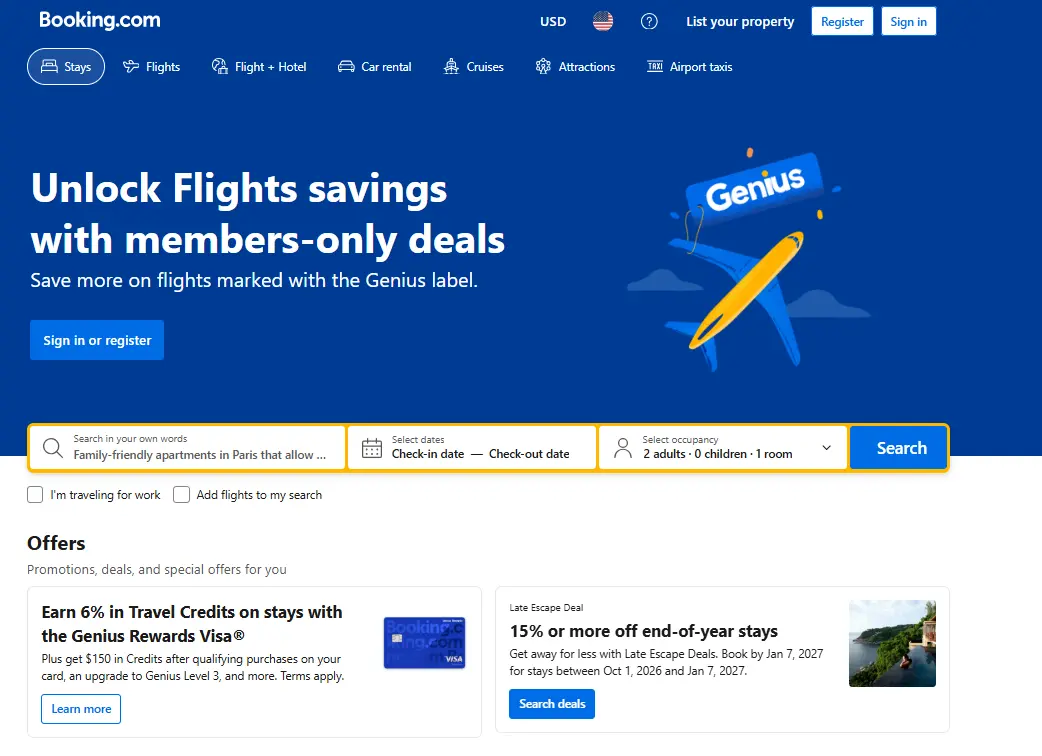
Booking.com is an online travel marketplace that connects travelers with hotels, apartments, vacation homes, hostels, resorts, airlines, car-rental companies, and other travel providers.
The company operates the website and booking platform, but it does not own most of the properties listed. When you reserve a hotel, your stay is normally provided by the hotel or property owner.
This distinction matters when there is a problem. Booking.com can help with communication and payment-related issues, but the accommodation provider remains responsible for delivering the room, facilities, and services advertised.
The platform is particularly strong for accommodation. Its large selection makes it useful for everything from a one-night airport hotel to a two-week apartment stay.
Is Booking.com Legit?
Yes, Booking.com is a legitimate travel-booking platform. It has operated for many years and is part of Booking Holdings, a large publicly traded travel company.
Millions of travelers use it to reserve accommodation and other travel services. Booking confirmations, property communication, payment details, and cancellation options are managed through the website or mobile app.
However, using a legitimate platform does not mean every reservation will be problem-free. Hotels can make listing mistakes, properties can cancel bookings, and criminals sometimes send fake payment messages while pretending to represent a hotel.
The safest approach is to keep all communication inside the Booking.com app or website. Never send card details by email, WhatsApp, or an unfamiliar payment link.
How Booking.com Works
Booking.com collects availability, prices, photographs, room descriptions, and policies from participating travel providers. You enter your destination and dates, compare the available options, and reserve the one that meets your needs.
Depending on the listing, you may:
Pay the complete amount when booking
Pay part of the price in advance
Reserve without immediate payment
Pay at the property
Provide a card only to guarantee the reservation
The payment arrangement is displayed before confirmation. Some payments are managed by Booking.com, while others are collected directly by the property.
Booking.com’s terms also explain that accommodation providers set many of their own policies, including cancellation deadlines, no-show charges, deposits, breakfast costs, pet rules, and extra-bed fees.
Booking.com Prices and Fees
Booking.com does not have one standard price structure for every reservation. Each hotel or travel provider controls its available rates, while the platform may offer promotional or member discounts.
A room can have several prices based on its conditions:
| Rate type | Typical price | Cancellation option | Payment timing |
|---|---|---|---|
| Non-refundable | Lowest | Usually no refund | Often charged early |
| Flexible | Higher | Free before a deadline | Varies |
| Pay at property | May be higher | Depends on policy | At check-in or check-out |
| Genius rate | Discounted | Depends on selected rate | Varies |
| Breakfast included | Higher | Depends on policy | Varies. |
Do not compare only the large price shown in search results. Check whether the total includes local taxes, resort fees, cleaning fees, breakfast, parking, and other compulsory charges.
Prices can also change based on currency. If the property charges in another currency, Booking.com or your card provider may apply a conversion rate or foreign transaction fee.
What Is Booking.com Genius?
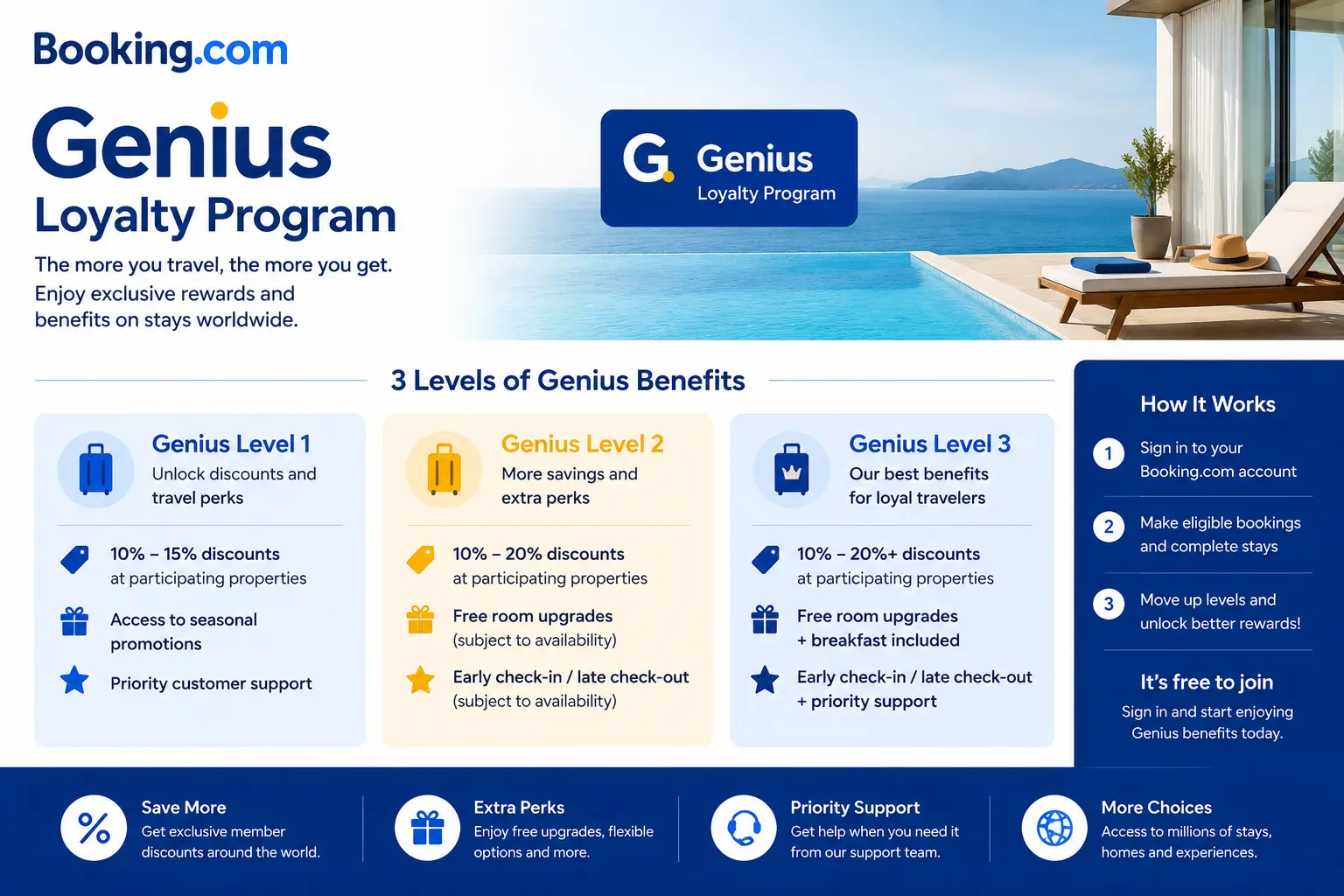
Genius is Booking.com’s free loyalty program. You can join by creating and signing into an account.
Benefits are available only at participating properties and on eligible travel services. A Genius label does not mean every room or rate at that property will receive the same reduction.
Genius membership levels
| Level | Requirement | Possible benefits |
|---|---|---|
| Genius Level 1 | Create an account | Member prices at selected properties |
| Genius Level 2 | Complete 5 eligible bookings within 2 years | Higher discounts and selected benefits |
| Genius Level 3 | Complete 15 eligible bookings within 2 years | Maximum listed discounts and selected priority benefits |
Possible benefits can include discounted accommodation, free breakfast, complimentary room upgrades, or reduced prices on selected car rentals. The exact benefit must appear on the listing before you book.
The program can offer real savings, particularly for frequent travelers. Still, compare the final rate with the hotel’s direct website because a loyalty label does not automatically guarantee the lowest available price.
How to Book on Booking.com
Step 1: Enter your correct travel details
Add your destination, check-in and check-out dates, number of rooms, and total number of adults and children.
Accurate guest details are important because prices and occupancy rules may change according to the number and ages of travelers.
Step 2: Apply useful filters
Use filters for your budget, location, review score, accommodation type, facilities, meal options, and cancellation preferences.
A low price is not useful if the property is far from the area you plan to visit. Always open the map before making a decision.
Step 3: Study recent guest reviews
Focus on recent reviews and read both positive and negative comments. Look for repeated observations about cleanliness, noise, location, Wi-Fi, staff behavior, or room condition.
Do not rely only on the overall score. A hotel with a lower score may still suit you if the complaints relate to facilities you do not need.
Step 4: Compare room conditions
Different rooms at the same property can have different cancellation and payment policies. Confirm the bed type, room size, occupancy limit, included meals, and view.
Check whether your chosen rate is refundable. The cheapest room is often sold under stricter conditions.
Step 5: Review the complete price
Proceed to the booking page and study the full price breakdown. Look for taxes, city charges, cleaning fees, resort fees, security deposits, and charges payable at the property.
If the property uses another currency, calculate the approximate cost using your card provider’s exchange rate.
Step 6: Enter traveler and payment information
Use your legal name and an email address you check regularly. If a card is required, confirm whether it will be charged immediately or used only as a guarantee.
Never provide payment information through a message outside the official Booking.com system.
Step 7: Save and verify the confirmation
After booking, save the confirmation email and take screenshots of the room details, total price, and cancellation policy.
For important or late-night arrivals, contact the property directly to confirm that it has received the reservation. This extra step is particularly helpful when booking a small independent hotel or apartment.
Booking.com Cancellation and Refund Policy
Booking.com does not apply one universal cancellation policy to every hotel reservation. The policy attached to your selected property and rate controls the cancellation charge and refund eligibility.
Flexible rates may allow free cancellation until a specific date and time. After that deadline, the property may charge the first night or the entire booking amount.
Non-refundable rates are normally cheaper, but cancellation may result in the loss of the full payment. Illness, flight cancellations, and changes of plan do not automatically guarantee an exception.
To cancel a reservation:
Sign in to your Booking.com account.
Open Bookings and Trips.
Select the correct reservation.
Review the displayed cancellation charge.
Choose the cancellation option.
Save the cancellation confirmation.
If you booked without an account, use the reservation number and PIN from your confirmation email.
Refund timing depends on who collected the payment and how you paid. When the property processed the charge, it may also be responsible for returning the money.
Are Booking.com Reviews Trustworthy?
Booking.com generally allows guests to review a property after completing a reservation. This makes its review system more useful than an open platform where anyone can post.
The large volume of verified-stay reviews is one of the platform’s strongest features. Travelers can often filter comments by guest type, country, room category, or travel purpose.
Still, reviews remain subjective. One traveler may consider a city-center room convenient, while another complains that the street is noisy.
For a balanced assessment:
Prioritize reviews posted within the last six months
Look for complaints repeated by several guests
Check reviews for the exact room category
Read comments from travelers with similar needs
Examine traveler photographs when available
Compare reviews with recent results on another platform
Booking.com Customer Service
Booking.com provides support through its Help Center, app, and individual reservation pages. Travelers should keep their confirmation number, PIN, contact details, receipts, photographs, and relevant messages available when reporting a problem.
Support is most effective for clear, documented problems, such as an incorrect charge or a property refusing to honor a confirmed reservation. More complicated disputes may take longer when Booking.com needs information from the hotel.
The main weakness is that Booking.com acts as an intermediary. Customer service may contact the property, but it cannot always approve a refund that conflicts with the selected rate’s policy.
If a property cannot accommodate you, contact Booking.com immediately before arranging an expensive replacement. Keep screenshots and request written confirmation of any promise to reimburse the difference.
Booking.com Pros and Cons
Pros
Large accommodation selection: It covers major hotel chains, independent hotels, apartments, hostels, and vacation homes.
Powerful filters: Travelers can quickly narrow results by budget, area, facilities, and review score.
Verified-stay reviews: Reviews are connected to reservations, making them more useful than completely open review systems.
Flexible booking options: Many properties offer free cancellation or payment at the property.
Free loyalty program: Genius discounts can provide meaningful savings at participating listings.
Convenient reservation management: Confirmations, messages, cancellations, and payment information are stored in one place.
Good international coverage: It is especially helpful when comparing accommodation outside your home country.
Cons
Policies are inconsistent: Cancellation, deposits, taxes, and payment rules vary between listings.
The cheapest rate may be restrictive: Low prices are often non-refundable.
Not every charge appears in the headline price: Local taxes or property fees may be payable separately.
Support outcomes can vary: Some problems require cooperation from the hotel.
Property information may be inaccurate: Listings depend partly on details supplied by accommodation providers.
Currency conversion can add cost: Your bank or card issuer may charge additional fees.
Booking.com Safety Tips and Insider Secrets
Compare while signed in and signed out
Membership discounts may appear only after signing in. However, compare the final price rather than assuming the marked discount is automatically the best deal.
Search with the total price in mind
A lower nightly rate can become expensive after taxes, cleaning charges, resort fees, or parking. Compare the complete stay cost for the same room and conditions.
Use flexible rates for uncertain trips
Free cancellation can be worth paying slightly more for when flights, visas, weather, or work schedules are not confirmed.
Message the property before arrival
Confirm check-in hours, bedding, airport transfers, accessibility needs, and late-arrival arrangements through the platform. Written messages provide evidence if a dispute occurs.
Avoid suspicious payment requests
Do not trust urgent messages claiming your reservation will be canceled unless you immediately pay through an unfamiliar link. Open the official app independently and contact customer support.
Recheck prices before the cancellation deadline
If the same room becomes cheaper, you may be able to reserve the lower-priced option and cancel the original booking. Confirm the replacement first and ensure the original rate still allows free cancellation.
Carry an offline copy
Download or print the confirmation, property address, telephone number, payment status, and cancellation conditions. This can save time if you arrive without mobile data.
Who Should Use Booking.com?
Booking.com is a strong choice for travelers who want to compare many accommodations quickly. It works particularly well for international trips, multi-city itineraries, last-minute stays, and destinations with many independent hotels.
It is also helpful for travelers who prefer refundable reservations or want to manage several bookings from one account.
You may prefer booking directly with the hotel when it offers a clearly lower rate, stronger loyalty points, better upgrade benefits, or more flexible customer service.
Frequently Asked Questions
Is Booking.com safe for hotel reservations?
Yes, Booking.com is a legitimate platform. Use its official website or app, keep communication inside the platform, and avoid unfamiliar external payment links.
Does Booking.com charge a booking fee?
Travelers do not usually see a separate standard Booking.com service fee for hotel reservations. However, the final cost can include taxes, cleaning fees, resort charges, and other property-specific costs.
Is it cheaper to book through Booking.com or directly?
It depends on the property. Booking.com may offer a lower Genius rate, while the hotel may provide a direct-booking discount, loyalty points, free breakfast, or better cancellation terms.
Can I cancel a Booking.com reservation for free?
You can cancel without charge only when your selected rate allows it and you act before the stated deadline. Non-refundable reservations generally involve a charge.
Does Booking.com offer refunds?
Refund eligibility depends on the property’s cancellation policy, the selected rate, and the reason for the refund. The refund may be processed by Booking.com or directly by the provider.
Are Booking.com guest reviews real?
Reviews are generally linked to completed reservations, which improves reliability. Still, you should read several recent comments instead of relying only on the overall score.
Is the Booking.com Genius program free?
Yes. You can enter the program by creating an account, while higher levels require completed eligible bookings within the specified period.
Final Verdict: Is Booking.com Worth It?
Booking.com is a reliable and useful platform for comparing and reserving accommodation, especially when you want a wide selection, detailed filters, verified-stay reviews, and flexible booking options.
Its biggest limitation is that each property controls many of its own payment, cancellation, and refund conditions. Two similar rooms can have completely different rules, even when they appear next to each other in the same search.
Booking.com is worth using, but book carefully. Compare the total price, read the latest reviews, examine the cancellation deadline, and save the confirmation. If the trip is important, confirm the reservation directly with the property before arrival.
Overall rating: 4.4 out of 5. It is one of the strongest hotel comparison platforms available, but the quality of your experience depends heavily on the property you choose and the rate conditions you accept.
Some links on this page are affiliate links. If you book through one we may earn a commission, at no extra cost to you. It never affects our ratings, our rankings, or the price you pay.